Showing posts with label Tips Computer. Show all posts

Tuesday, 15 May 2012

Virtualization+why?


In computing, virtualization (or virtualisation) is the creation of a virtual (rather than actual) version of something, such as a hardware platform, operating system (OS), storage device, or network resources.[1]
While a physical computer in the classical sense is clearly a complete and actual machine, both subjectively (from the user's point of view) and objectively (from the hardware system administrator's point of view), a virtual machine is subjectively a complete machine (or very close), but objectively merely a set of files and running programs on an actual, physical machine (which the user need not necessarily be aware of).
The idea of Server Virtualization is to run multiples servers on one physical machine.This is basic of running the Virtual Private Servers. So why we need Server Virtualization? Just it's because this technology provides High Availability, Economy and Flexibility.. It also thinking about costing in any system developments.

Read more...

Monday, 20 February 2012

Is this the challenger of I-pad?


Huawei S7 Slim Android Tablet Features


The iPad isn't the only touch screen portable device that lets you take your films, music and pictures wherever you go! The Huawei S7 has a 7-inch touch screen, runs Android 2.2 and features a 3G sim card slot as well as built-in WiFi - so you can connect to the Internet anywhere, anytime.You can also get the Huawei Android Tablet bundled with a 32GB microSD. 
For:
·         Connect anywhere wirelessly via WiFi or 3G (sim card with data plan required for 3G)
·         Lots of apps available for download on Android Marketplace

Operating System
Android 2.2
Screen
7-inch WVGA 800 x 480 resolution
3G
Sim card slot for HSPA/UMTS
Processor
768MHZ
Storage
microSD card slot
Email
Works with Exchange, POP3 and Google Mail
Camera
3.15 MegaPixel

Read more...

Saturday, 3 December 2011

Perbezaan antara PDA & Tablet PC

Handheld computers, also called personal digital assistants (PDAs), are battery-powered computers small enough to carry almost anywhere. Although not as powerful as desktops or laptops, handhelds are useful for scheduling appointments, storing addresses and phone numbers, and playing games. Some have more advanced capabilities, such as making telephone calls or accessing the Internet. Instead of keyboards, handhelds have touch screens that you use with your finger or a stylus (a pen-shaped pointing tool).

while the Tablet PCs are mobile PCs that combine features of laptops and handhelds. Like laptops, they're powerful and have a built-in screen. Like handhelds, they allow you to write notes or draw pictures on the screen, usually with a tablet pen instead of a stylus. They can also convert your handwriting into typed text. Some Tablet PCs are “convertibles” with a screen that swivels and unfolds to reveal a keyboard underneath.

Read more...

Monday, 3 October 2011

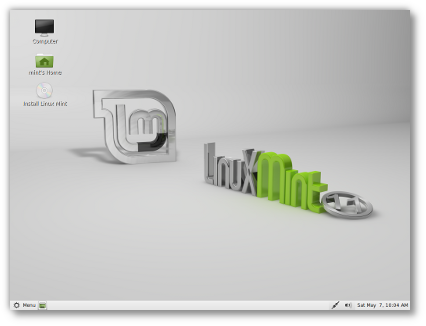
New features in Linux Mint 11-Open Source Community

Linux Mint 11 comes with updated software and brings refinements and new features to make your desktop even more comfortable to use.

Linux Mint 11 comes as a liveDVD.

Read more...

Wednesday, 21 September 2011

Organize your photos - free download

Picasa is free photo editing software from Google that makes your pictures look great.
Sharing your best photos with friends and family is as easy as pressing a button! Download here!
 
The all-new Google Picasa keeps the...

Read more...

Sunday, 24 July 2011

Perisian Text Editor - Percuma


AbiWord. Anda pernah dengar perisian ini?...ia mungkin tidak popular seperti MS Word dan OpenOffice Writer tetapi ia mampu melaksanakan tugas-tugas yang boleh dilakukan perisian-perisian mengedit teks yang lain. Perisian text editor iaitu AbiWord adalah perisian GNU Free Software yang membenarkan anda menggunakannya tanpa lesen iaitu percuma dengan kesesuaian 3 platform utama Operating System iaitu Windows, Apple dan Linux.  
Keupayaannya juga setanding perisian-perisian office terutamanya Word processing. Rugi jika tidak mencubanya!

Read more...

Tuesday, 5 July 2011

Computer Tips : WEP vs WPA

WEP (Wired Equivalent Privacy) is the first security mechanism that was embedded on wireless devices. After major flaws were found in its design, people hurried to find a replacement security mechanism to protect the networks that are already using wireless. The end result was WPA or Wi-Fi Protected Access which used the Temporal Key Integrity Protocol or TKIP to encrypt the data.

Wired Equivalent Privacy, commonly called WEP is 802.11's first hardware form of security where...

Read more...

Sunday, 19 June 2011

Enjoy a safer, more secure computing experience in Windows 7

  1. No phishing allowed. The SmartScreen® Filter helps protect you from phishing scams and from Web sites that attempt to download malicious software to your PC.
  2. Easy encryption. Use BitLocker To Go™ to encrypt removable USB devices and external disks. Right-click the drive in Windows Explorer, and click Turn on BitLocker. (IT administrators can manage this feature centrally using Group Policy.)
  3. A little privacy, please. InPrivate™ Browsing, new in Internet Explorer 8, prevents the browser from retaining browsing history, temporary Internet files, form data, cookies, and usernames and passwords. In Internet Explorer 8, click Tools, and then click InPrivate Browsing.

    Read more...

    Hakcipta Blog Terperlihara

    Template edited by pd

    Certified Trainer

    since 2006